
NIMS allows you to close and archive batches that are no longer in use. These batches must have a zero balance so if not fully delivered you will need an adjustment to write of any balances of plants still in the batch.
It is important to close batches as close batches will not appear in any of the batch selection drop down boxes in NIMS. In some of the reports you will have the option to include closed batches in your reports without having to re-open them.
As it would be normal practice to close a batch and only on occasion you may want to re-open that batch, we will deal with closing batches first.
Close

When opening the  batches option, NIMS will list all batches which can be closed. These would be batches with a zero balance that are not marked as archived.
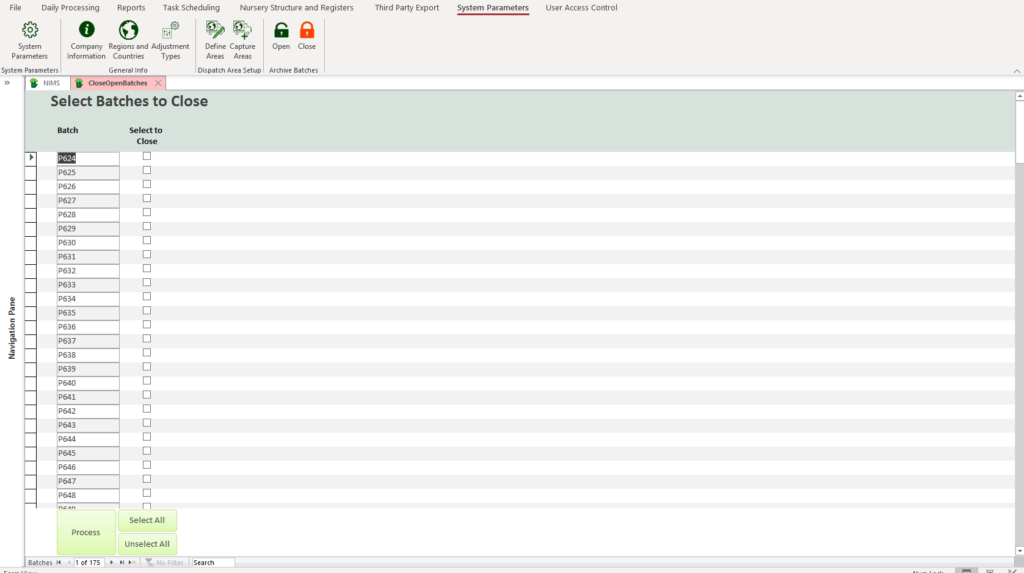
| Field | Use or Description |
| Batch | This is a list of potential batch numbers for closure |
| Select to Close | Click on the check box to select that particular batch for archiving |
 | Allows you to quickly select all the batches in the list |
 | Allows you to quickly de-select all the batches in the list i.e it will clear any batches you may already have selected. |
 | Click to archive and close all selected batches |
Open

Should you need to reopen a batch this can be done by clicking on the  option.
All closed batches are shown. Find the bath or batches you wish to open and click on the checkbox to un-select them. When you click on the all un-selected batches will be opened.
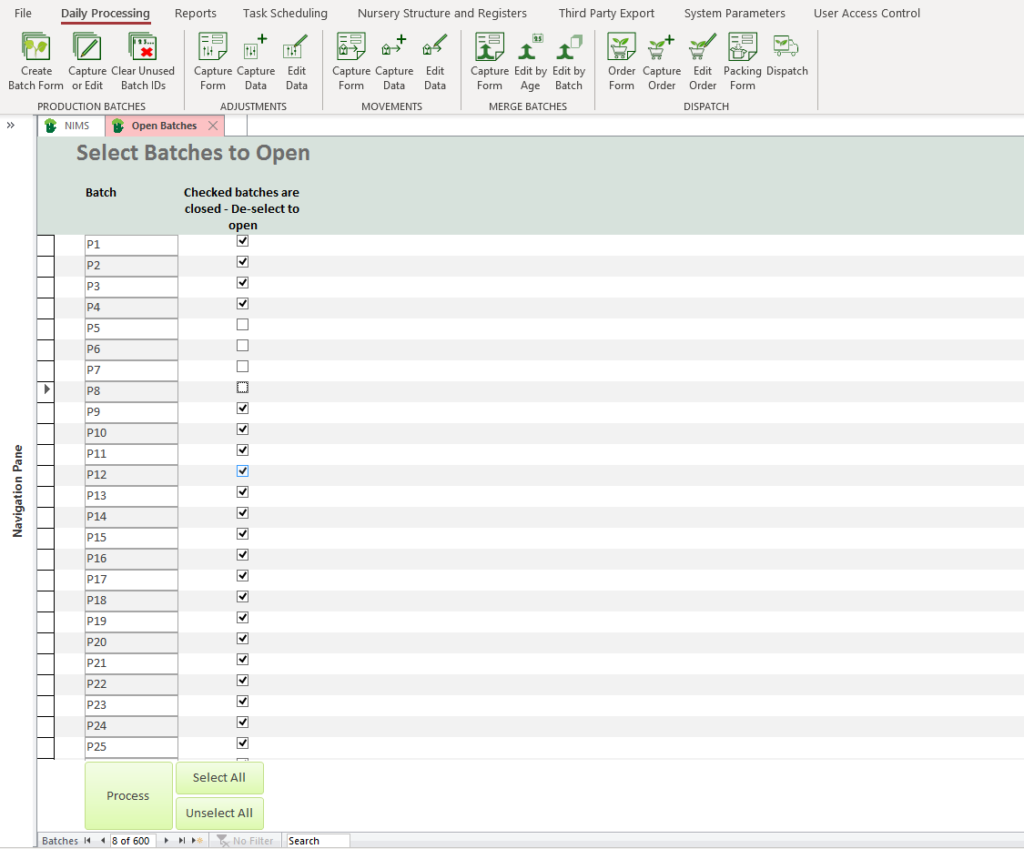
In this example batches P5, P6, P7 & P8 will be opened when you click on the button
| Field | Use or Description |
| Batch | This is a list of potential batch numbers which are closed and can be opened |
| Select to Close | Click on the check box to deselect that particular batch for opening. |
| Allows you to quickly select all the batches in the list |
| Allows you to quickly deselect all the batches in the list i.e it will clear the check boxes for all closed batches so one should be careful using this option. |
| Click to open all deselected batches |