
- Customers Register
- Suppliers Register
Customers
To add a new customer or to edit an existing customer click on Customers in the CUSTOMER/SUPPLIER menu group.
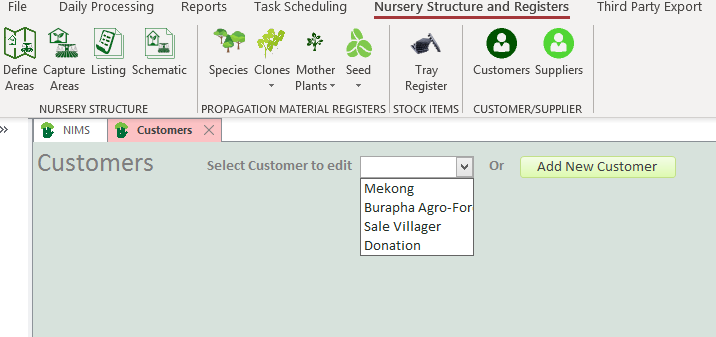
Select an existing customer to edit from the drop down box or click on the  button to add a new customer
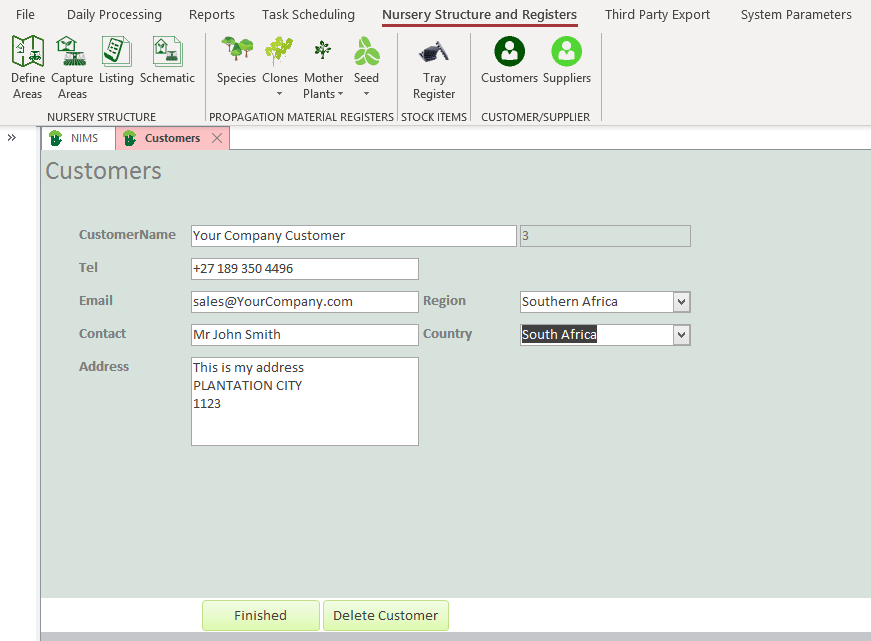
| Field | Description |
| Customer Name | Enter Customer Name |
| Tel | Add Customer Telephone number |
| Add customer email | |
| Contact | Add your contact person at the customer |
| Address | Add Customers address |
| Region | Add Customers international region |
| Country | Add Customers country |
 | Click when finished editing |
 | Use this button to delete a customer. Note you cannot delete a customer if it has orders linked to it. |
Suppliers
To add or edit supplier information click on Suppliers in the CUSTOMER/SUPPLIER menu group
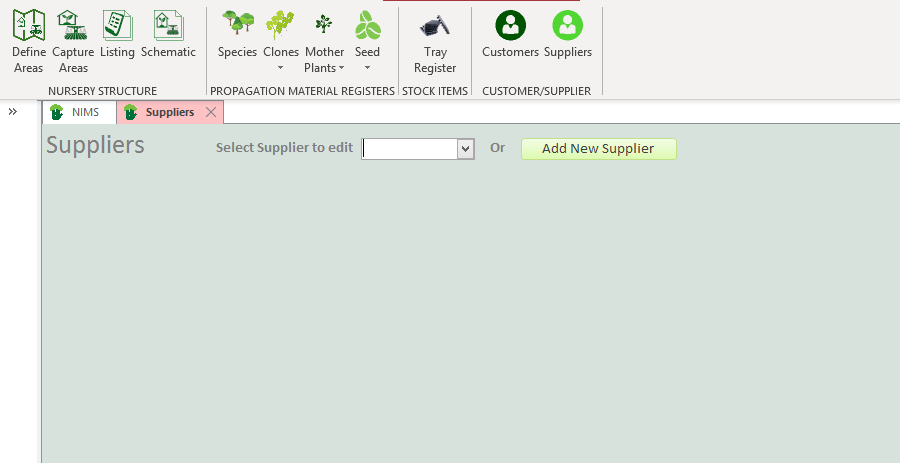
To edit an existing supplier, select the supplier from the drop down box. To add a new supplier click on the  button.
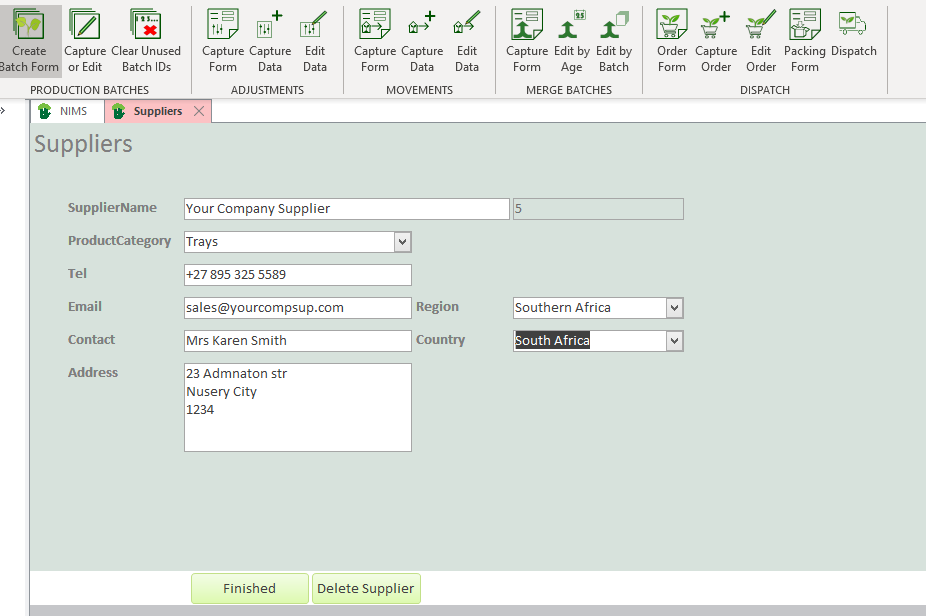
| Field | Description |
| Supplier Name | Enter Supplier Name |
| Product Category | Select or add a product category here. To add a new category simply type the new category in the field |
| Tel | Add Supplier Telephone number |
| Add Supplier email | |
| Contact | Add your contact person at the Supplier |
| Address | Add Supplieraddress |
| Region | Add Supplier international region |
| Country | Add Suppliercountry |
| Click when finished editing |
 | Use this button to delete a Supplier. |