
NIMS help is all contained in the website nims.co.za/help.
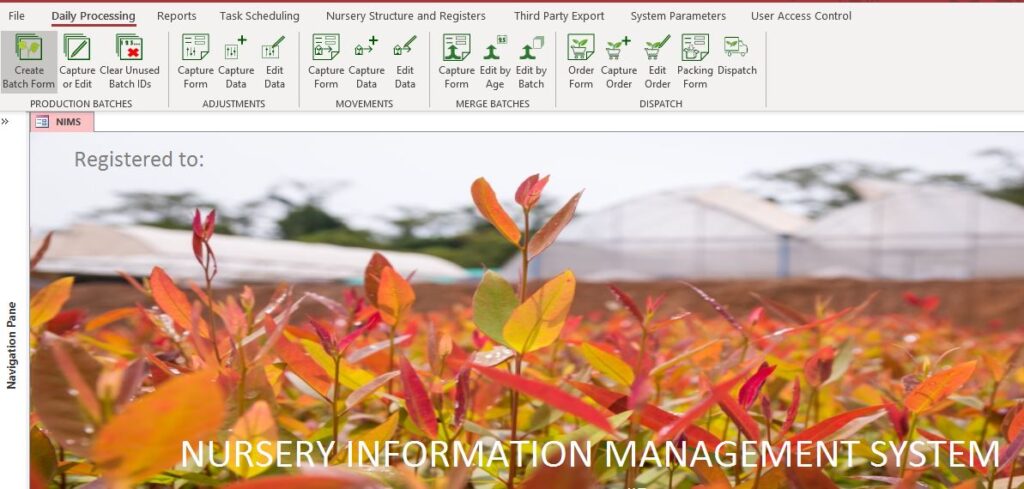
| Daily Processing | This is where you will find all items relating to daily processing. This would include capturing and editing your daily production batches, capturing any adjustments to your batches, movements of batches between areas in the nursery, merging of batches and lastly dispatching batches to customers. |
| Reports | Reports are broken down by category. These include propagation, production or batch reports, stock volumes, rooting and germination, recovery, merging and dispatch including delivery notes and orders |
| Task Scheduling | Is an optional module which allows you to scedule your daily nursery tasks> It is a management tool which aids your managers and supervisors in ensuring that daily tasks are planned, carried out and monitored. |
| Nursery Structures and Registers | This section allows you to enter the building blocks required by NIMS to understand your nursery. It covers the physical structure and make up of your nursery areas, naming conventions and sub divisions. It also allows you to create your Clone and seed-lot registers as well as your mother-plant register. The different tray types you use in the nursery is also captured and maintained in this area. Lastly you would maintain your customer and supplier details here. |
| Third Party Export | NIMS can export data for use in third party applications such as PowerBi, Excel etc. This data is uploaded to a secured server and then can be accessed by anyone that you appoint. The data is in a simple CSV/delimited format allowing for trouble free import. |
| System Parameters | These are your basic parameters including such items as company information, system setup, and dispatch setup. You would also archive your post season batches here. |
| User Access Control | NIMS is designed for working on an internal LAN with multiple users. NIMS also has a sophisticated 5 level user access system which allows for full access customization for your users. |