
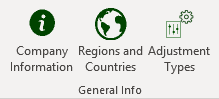
The general information group allows for the capture of general information used by NIMS in various areas.
Company Information

This is the basic company information that NIMS uses to add headings to reports, addresses on delivery notes etc.
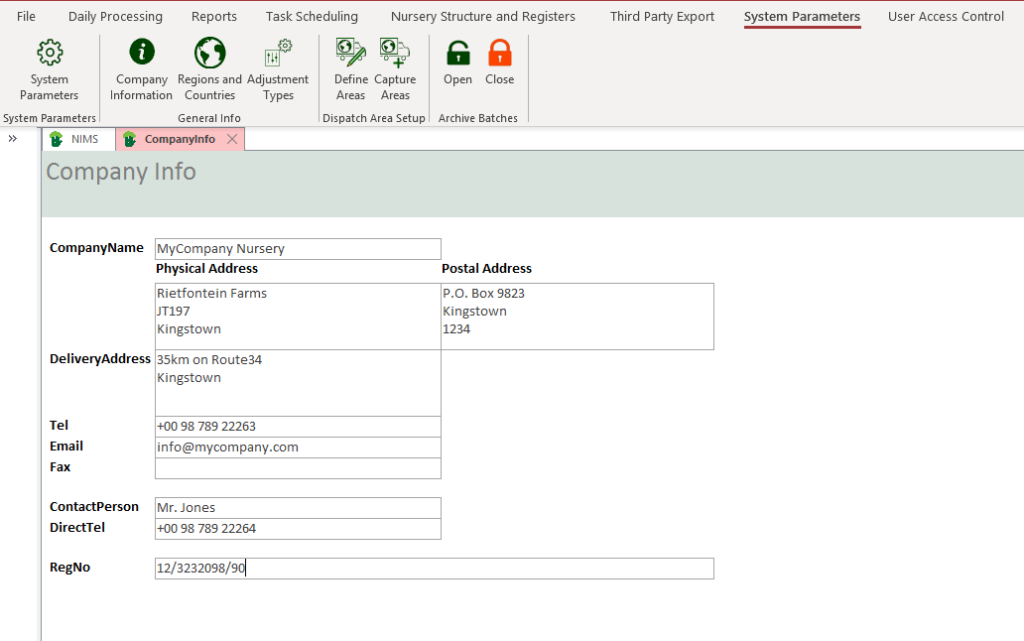
| Field | Description |
| Company Name | Enter your company name. This will appear on all reports produced by NIMS |
| Physical Address | Enter your Nurseries physical address |
| Postal Address | Enter your Nurseries postal address |
| Delivery Address | Enter the delivery address for deliveries to your nursery |
| Tel | Enter the Nursery or Companies contact number |
| Enter the Nursery or Companies Email | |
| Fax | Enter the Nursery or Companies fax number |
| Contact Person | Enter the Nursery or Companies contact person |
| Direct Tel | Enter the Nursery or Companies contact person direct contact number |
| Reg No | Enter the Nursery or Companies registration number |
Regions and Countries

NIMS comes pre-populated with regions and countries. If however you do not wish to use these, you can create your own.
The system is s simple hierarchical structure using a one to many relationship between region and country. You could therefor tailor this to divide the a specific “region” that you create into a number of sections (“countries”)
Please refer to the lesson on Navigation Bar for more instructions on navigating the form.
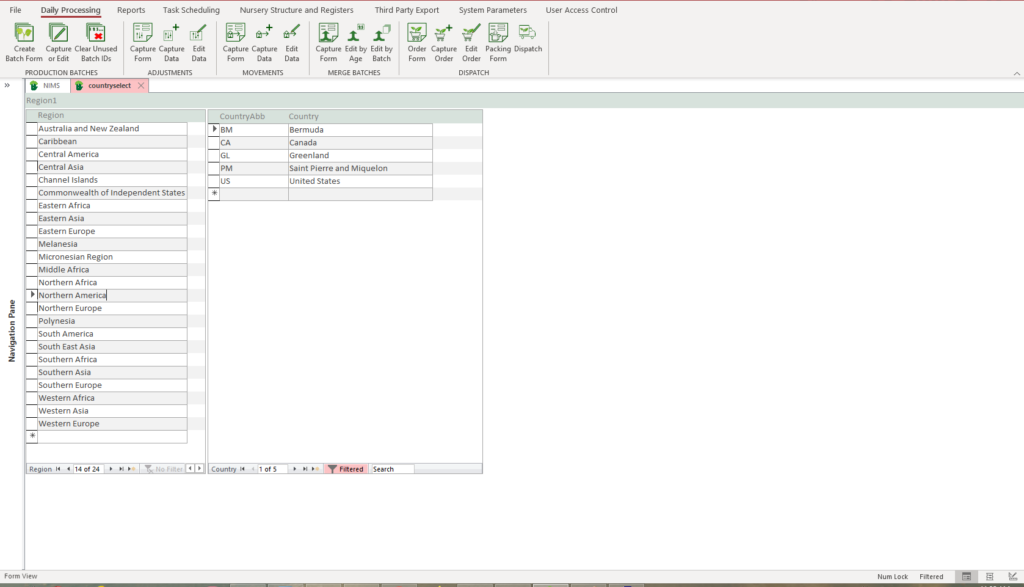
The left column is your regions or one side relationship.
The right hand side column is your countries or many sided relationship. i.e. for each item on the left you can have many linked items on the right.
Adjustment Types


| Field | Description |
| Order Code | This is the order in which you want your adjustments to appear in in reports, selction panes etc |
| Adjustment Type | This is the name of your adjustment |
| In/Out? | There are two types of adjustments. The first is only a loss. However in some cases when changing the planting density in a tray, for example, there is no loss. In other words the number of plants do not change but the number of trays do. This would be an In/Out adjustment type and you would click the check box to tell NIMS that. |