
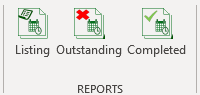
Scheduling has three reports:
Schedule Listing

The listing will list all sceduled tasks for a period. By clicking on the above icon, NIMS will open a dialogue box allowing you to select the dates for the report
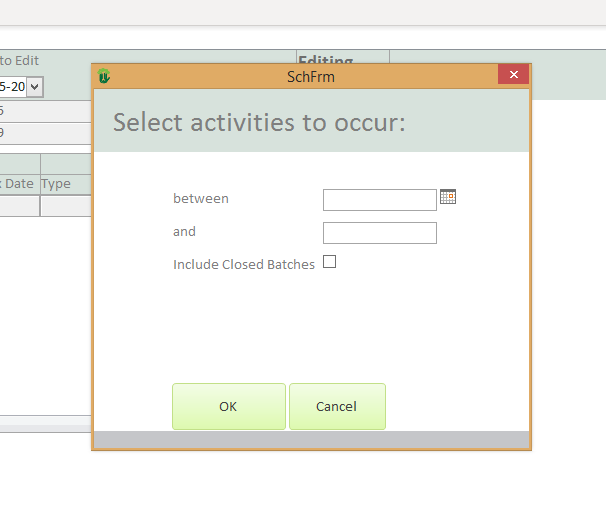
The selection parameters are simple:
| Field | Description |
| Between | Select the first date of the report period |
| and | Select the second date of the report period. All schedules between these dates will be listed. |
| Include closed batches | Select this checkbox if you wish to include closed batches. |
 | Click to preview the report |
 | Click to cancel and return to the menu |
Outstanding

By selecting the Outstanding tasks icon, NIMS will again ask for the report parameters.
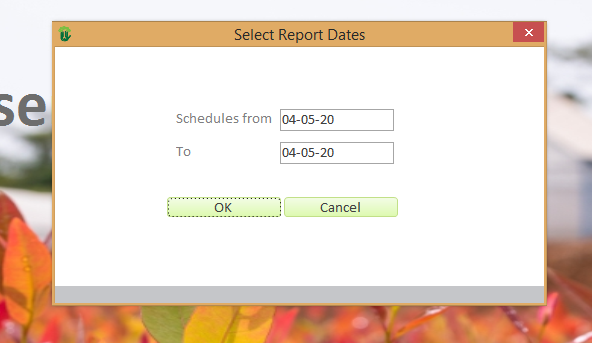
The selection parameters are as follows:
| Field | Description |
| Schedules from | Include tasks on schedules from and including this date |
| To | Include tasks on schedules to and including this date |
| Click to preview the report |
| Click to cancel and return to the menu |
Completed

By selecting the Completed tasks icon, NIMS will again ask for the report parameters.
| Field | Description |
| Schedules from | Include tasks on schedules from and including this date |
| To | Include tasks on schedules to and including this date |
| Click to preview the report |
| Click to cancel and return to the menu |