
As your batch matures it will be moved through the Nursery from area to area. In order to know where your batch is, and what stock you have in a specific area, you need to record these movements.
A movement is not an adjustment. If you therefor move a batch from one area to another via a sorting or production house where you also adjust the batch, you need to record both the adjustments and the movement.
Movement Capture Form

| Field | Description | Use |
| Date | Enter the date | This is the date on which you move the batch |
| Batch ID | Batch ID | Enter the batch ID |
| Clone ID | Clone ID | Optional – you may enter the clone id of the batch if you wish. In NIMS the BatchID is already linked to the CloneID |
| Move From | Enter the area with sub sections | This is the location where the batch is moved from. |
| Move to | Enter the Area with sub sections | This is the location where the batch is moved to. |
| Tray Type | Enter the tray code | |
| Tray Density | Enter the density | NIMS records density in actual number of seedlings rather than percentages |
| Trays | Quantity of trays | Enter the quantity of trays in the batch |
| Plants | Enter number of plants | NIMS will calculate the number of plants as a check |
| Comments | Enter any comments that may be necessary | |
| Supervisor Signature |
Capture and Edit Movements

As with adjustments the capture and edit forms are very much the same. The main difference is on the capture form you can enter multiple batch movements and on the edit form you will select the batch that you wish to edit the movement of.
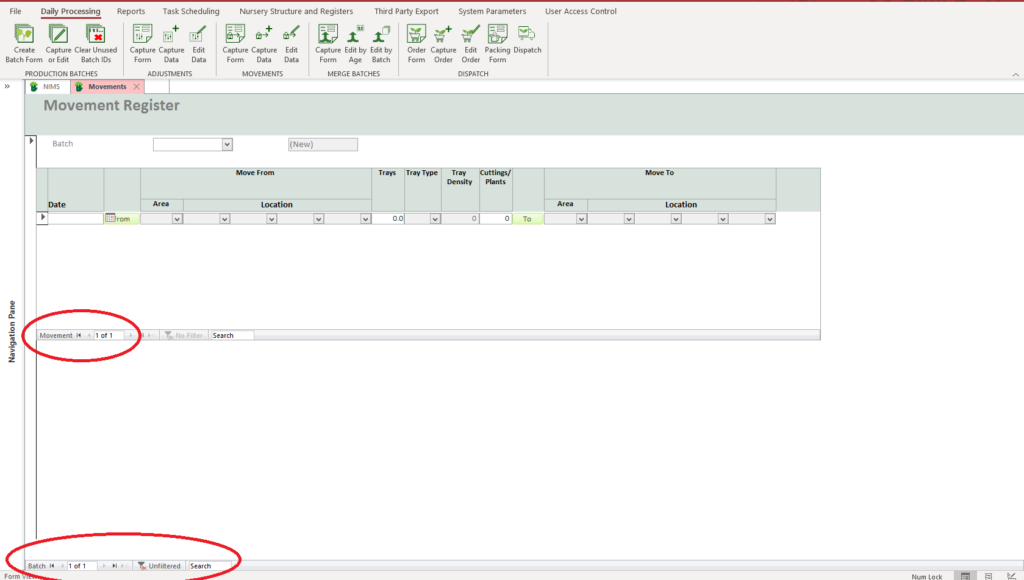
It its unlikely that you will capture multiple movements per batch at one time, however you can capture movements of multiple batches by using the batch selector at the bottom of the form.
When editing a movement you need to select the batch that you wish to edit the movement on.
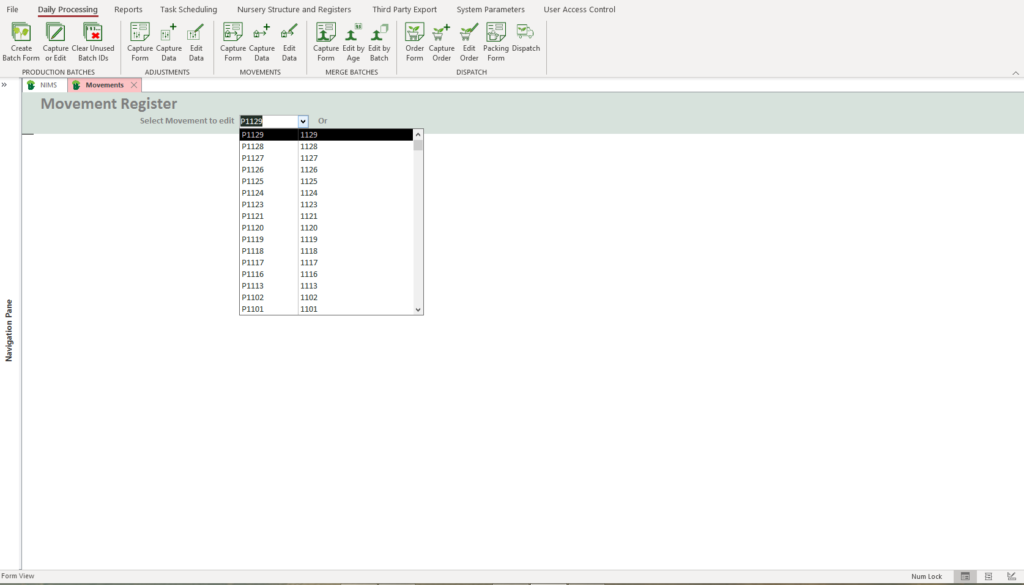
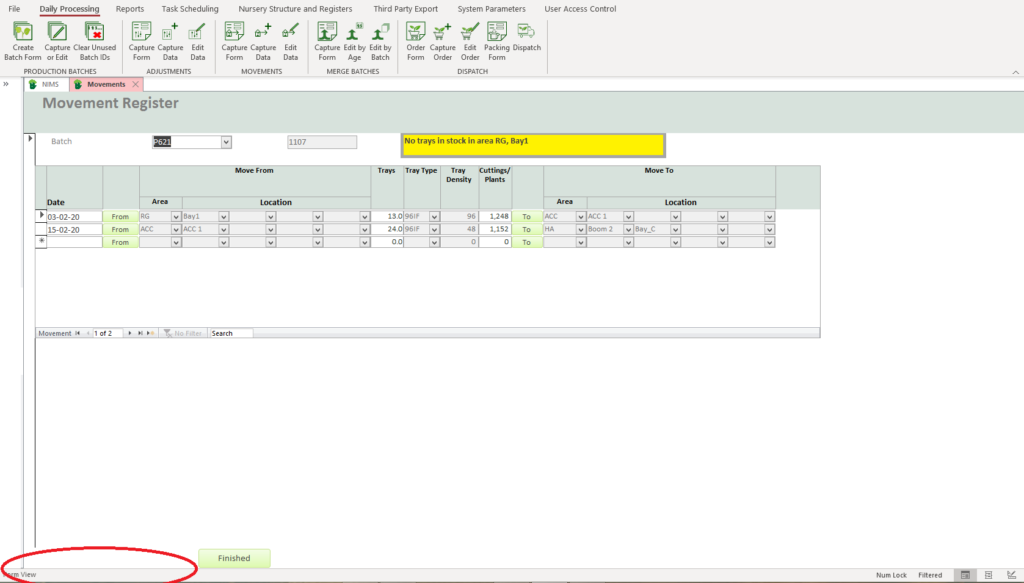
You will notice that after you have selected the batch and the movements for the batch appear, you can no longer scroll though batches.
| Field | Description | Use |
| Date | This is the date of movement | |
 | Click here to select the FROM location | NIMS will allow you to select the location from a pop up form see below. |
| Trays | Quantity of Trays | If you enter the qty of trays the plants will be calculated |
| Cuttings/Plants | Enter the quantity of plants to move | If you enter the qty of plants the trays will be adjusted. |
 | Click here to select the TO location | NIMS will open a popup to select the location |
 | Click to close editing form |
When you click on the button the following Pop-up selection form will open.
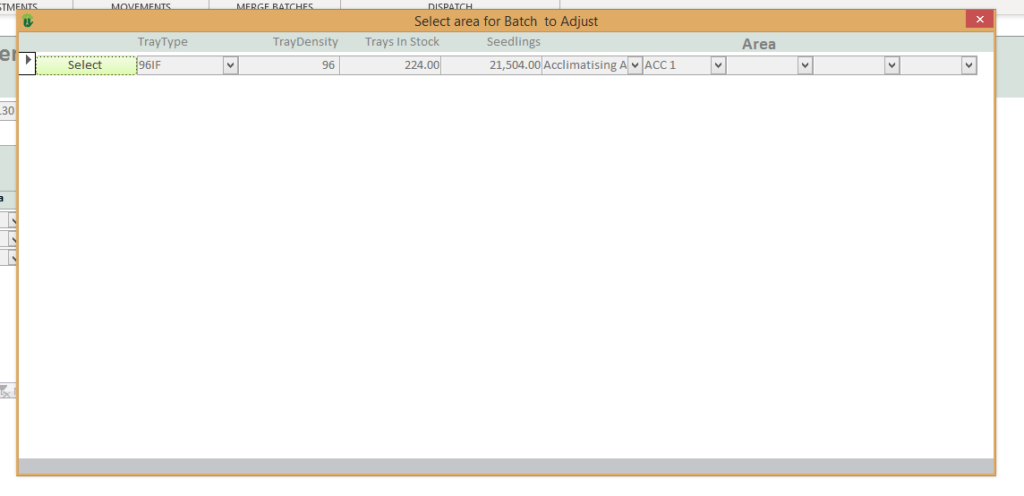
Click on the  button to select the area from which you wish to move the batch. When you click on the button the following form pop-up selection form will open.
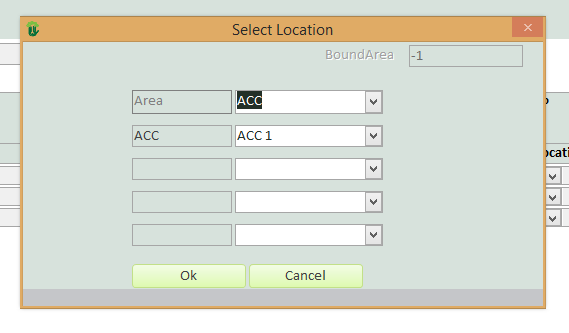
| Field | Example | Use |
| Area | Area | Select the area you wish to move the batch to |
| Level 1 | Acc | Select the first sub section |
| Level 2 | Select the sub-sub section if applicable | |
| Level 3 | Select the sub-sub-sub section if applicable | |
| Level 4 | Select the sub-sub-sub-sub section if applicable | |
 | Press to select and update the Movement capture form | |
 | Select to cancel and not update or change the Movement capture form |